The short answer
Open Photos, tap Collections, then Shared Albums, and tap the Add button. Name it, add photos, choose who can join under Sharing Options, and tap Done. Then invite people or copy the link. In iOS 27, people without Apple devices can add photos on the web. Up to 100 people per album, including you.
How we checked: every step and limit comes from Apple's own support pages, read on November 22, 2026.
A shared album is the photo-sharing tool already on your iPhone, and for a trip, a family album or a small gathering it is often all you need. Every step and limit below comes from Apple's own support pages, read on November 22, 2026. Apple changed Shared Albums in iOS 27, so the steps differ on older software; where it matters, we say which version.
Before you start: turn on Shared Albums
- Update your iPhone to the latest iOS. Apple's steps below are for iOS 27.
- Open Settings, tap your name, tap iCloud, then tap Photos.
- In iOS 27, make sure iCloud Photos is on.
- Turn on Shared Albums.
You don't need iCloud Photos turned on to make a temporary shared album (more on those below).
 Illustration
How do I create a shared album?
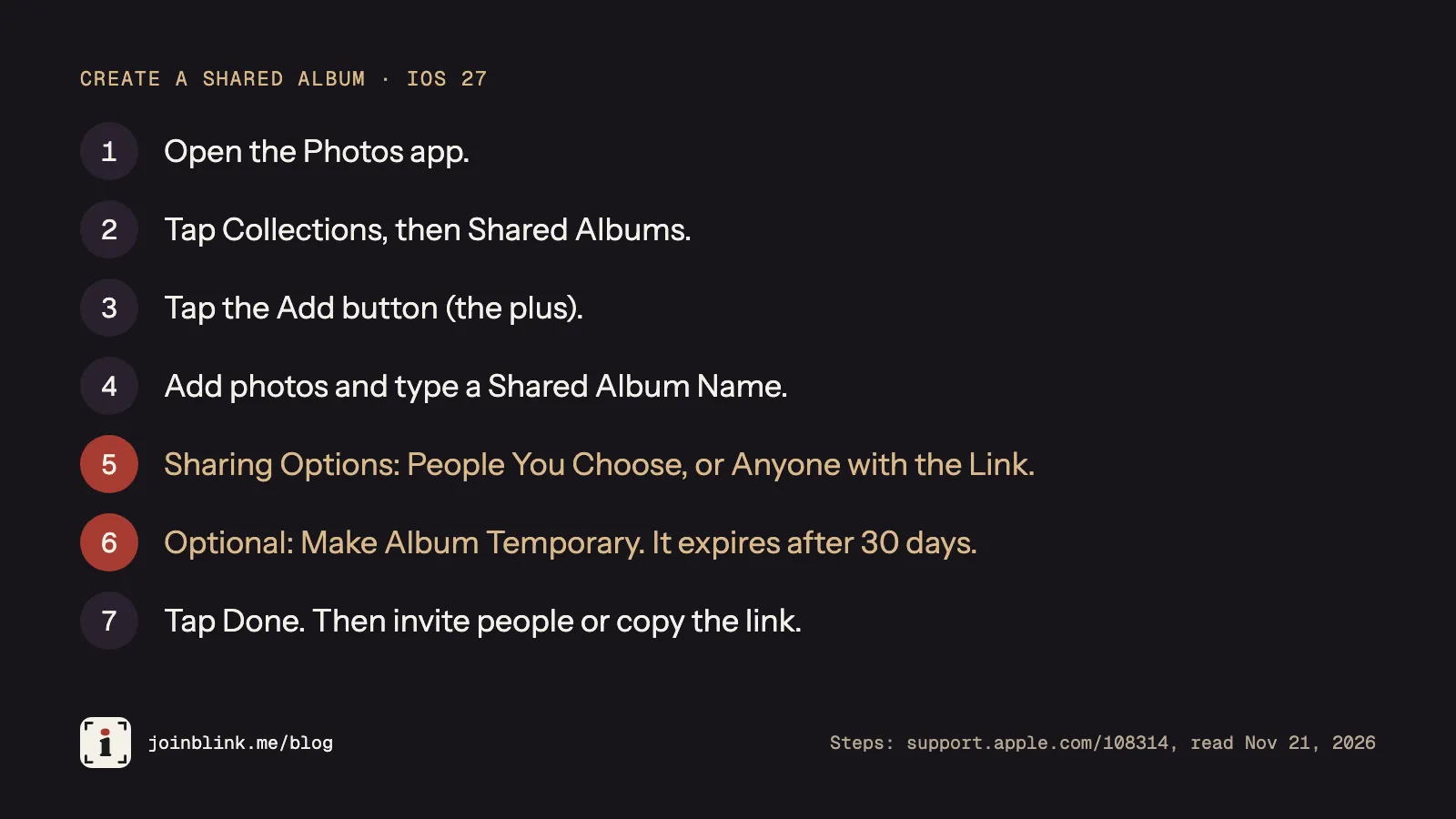
- Open the Photos app.
- Tap Collections, then tap Shared Albums.
- Tap the Add button (the plus).
- Tap Add Photos to pick the first photos, and type a name in Shared Album Name.
- Tap Sharing Options and choose People You Choose or Anyone with the Link.
- If you want the album to go away by itself, turn on Make Album Temporary. It expires after 30 days.
- Tap Done.
How do I invite people, or share a link?
- Open the shared album you made.
- Tap the Manage Shared Album button.
- Under Participants, tap Invite Participants, then pick a contact or an app to send the link.
- Or tap Copy Album Link and paste it wherever you like: a group chat, an email, a printed card.
- Tap Done.
People who get the link select it, then select Join. If you chose People You Choose and the link reaches someone you didn't invite, Apple says they can request access, and you approve or decline.
To let a person add photos, open Manage Shared Album, tap their name, and check that Can Add Photos is selected.
Can people without an iPhone add photos?
In iOS 27, yes. Apple's page says friends and family can join and contribute their own photos on the web, even if they don't have an Apple Account or an Apple device. They open the album link on their phone or computer.
People on older Apple software may need to update, or view the album on iCloud.com. Albums made in iOS 26 or earlier used a "Public Website" option for people who don't use iCloud.
What are the limits?
| Albums made in iOS 27 or later | Temporary albums (iOS 27 or later) | Albums made in iOS 26 or earlier | |
|---|---|---|---|
| People per album | Up to 100, including you | Not stated separately | Up to 100 subscribers |
| Photos and videos | No set cap, beyond your iCloud storage | Up to 5,000 | Up to 5,000 |
| Uses your iCloud storage | Yes | No | No (kept in iCloud, not counted) |
| How long it lasts | Until you delete it | 30 days, then anything not saved to a library is deleted | Until you delete it |
| Photo size | Full resolution | Reduced to 2048 pixels on the long side |
Scroll the table sideways for more columns.
From Apple's Shared Albums limits page (dated November 19, 2026) and its temporary albums page (dated October 6, 2026). Apple also says temporary shared albums aren't available in every country or region.
How do I remove a person or a photo?
Remove a person (iOS 27):
- Tap a shared album you created.
- Tap Manage Shared Album.
- Tap the person.
- Tap Remove Participant.
Delete a photo:
- Open the shared album and tap the photo.
- Tap the Delete button.
- Tap Delete From All Devices.
As the owner, you can delete anyone's photos, videos or comments.
A shared album suits family over time; a party asks more of your guests
A shared album is free, already on your phone, and works best for a group that shares photos over weeks: a family, a trip, close friends up to 100 people, everyone already in one group chat. For a party, a wedding or a reunion, Apple's own rules ask more of each guest.
- Guests need the link first. Someone has to send it to every guest, and each guest has to open it and join before they can add photos.
- Photos come from guests' camera rolls, later. People take photos in their camera app and have to remember to add them, which is easy to forget once the night is over.
- Everyone sees photos as they arrive. There is no reveal, so the album fills up during the event.
- Size and storage. Up to 100 people per album, and a regular album uses your iCloud storage. A temporary album avoids the storage but deletes after 30 days.
None of this makes it a bad tool. It was built for sharing with people you know, over time, and it does that well.
Another way for an event: one QR code on the table
If you want guests to take photos during the event, on one roll, a shared camera works differently from an album:
| iPhone Shared Album | A shared camera like Blink | |
|---|---|---|
| How guests join | Open a link you sent, then join | Scan one QR code on the table |
| Phones | iPhone, or the web in iOS 27 | The browser on any phone, or the Blink: Disposable Event Camera app on Android |
| Where photos come from | Guests' camera rolls, added later | Taken in the camera during the event |
| When guests see each other's photos | As soon as they're added | At the reveal the host picks |
| Size | Up to 100 people | Free up to 25 guests on your first event; bigger events are one price per event |
| Cost | Free; uses your iCloud storage unless temporary | First event free; then one price per event, and guests never pay |
Scroll the table sideways for more columns.
Hosting a party?
With Blink, guests scan one QR code and take photos in their phone's browser, on iPhone or Android, with a set number of shots each. Everyone sees the roll at the reveal: when the event ends, the next morning, or a time you pick. Your first event is free for up to 25 guests.
For a side-by-side of nine options for weddings, including Apple's and Google's free albums, see which wedding photo sharing app to use.
How we checked
Every step, label and limit here comes from Apple's own support pages and iPhone User Guide, re-read on November 22, 2026; the comparison with a shared camera rests on our own pricing page and product for Blink, read the same day. Apple changes menus between versions, so if a button has moved, Apple's page linked below has the current one.
Questions
Can Android users join an iPhone shared album?
In iOS 27, Apple says people who don't use an Apple device can join from the album link and add their own photos on the web. On albums made in iOS 26 or earlier, the Public Website option let people view the album.
How many people can join a shared album?
Up to 100, including you, for albums made in iOS 27 or later. Older albums allowed up to 100 subscribers.
Does a shared album use my iCloud storage?
Yes, for regular albums made in iOS 27: Apple says there is no cap on photos beyond the owner's available iCloud storage. Temporary albums don't count toward your iCloud storage, but they expire after 30 days.
Are shared album photos full resolution?
In iOS 27, Apple says Shared Albums support full-resolution sharing. Albums made in iOS 26 or earlier reduce photos to 2048 pixels on the long edge.
How do I keep a temporary album after 30 days?
Save the photos you want to your library before it expires, or turn off Make Album Temporary. Apple notes the album then counts toward your iCloud storage.
Sources
- Apple Support: How to use Shared Albums in Photos on your iPhone, iPad, or Apple Vision Pro (dated Oct 6, 2026) Checked .
- Apple iPhone User Guide: Create shared albums Checked .
- Apple Support: Shared Albums limits (dated Nov 19, 2026) Checked .
- Apple Support: Create a temporary shared album (dated Oct 6, 2026) Checked .
- Blink pricing page Checked .
This post was researched and checked against the sources above, each on the date shown.
Planning an event?
Your first event is free for up to 25 guests.
Create your event