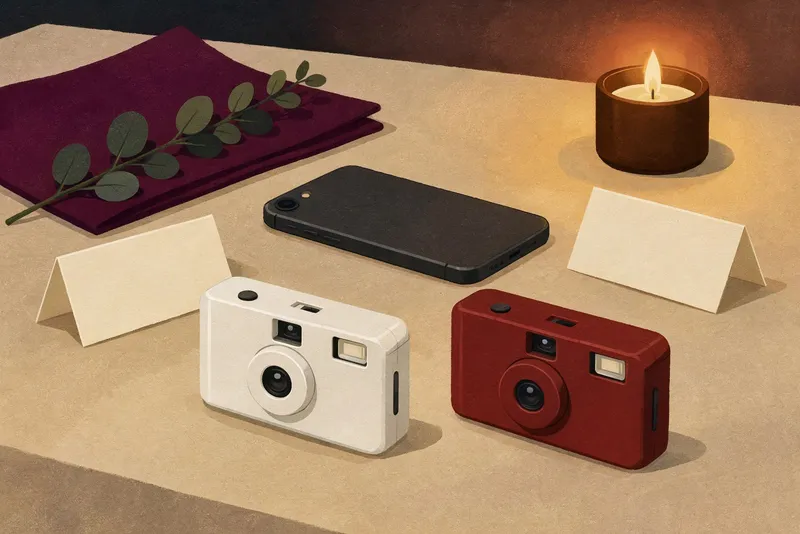
The short answer
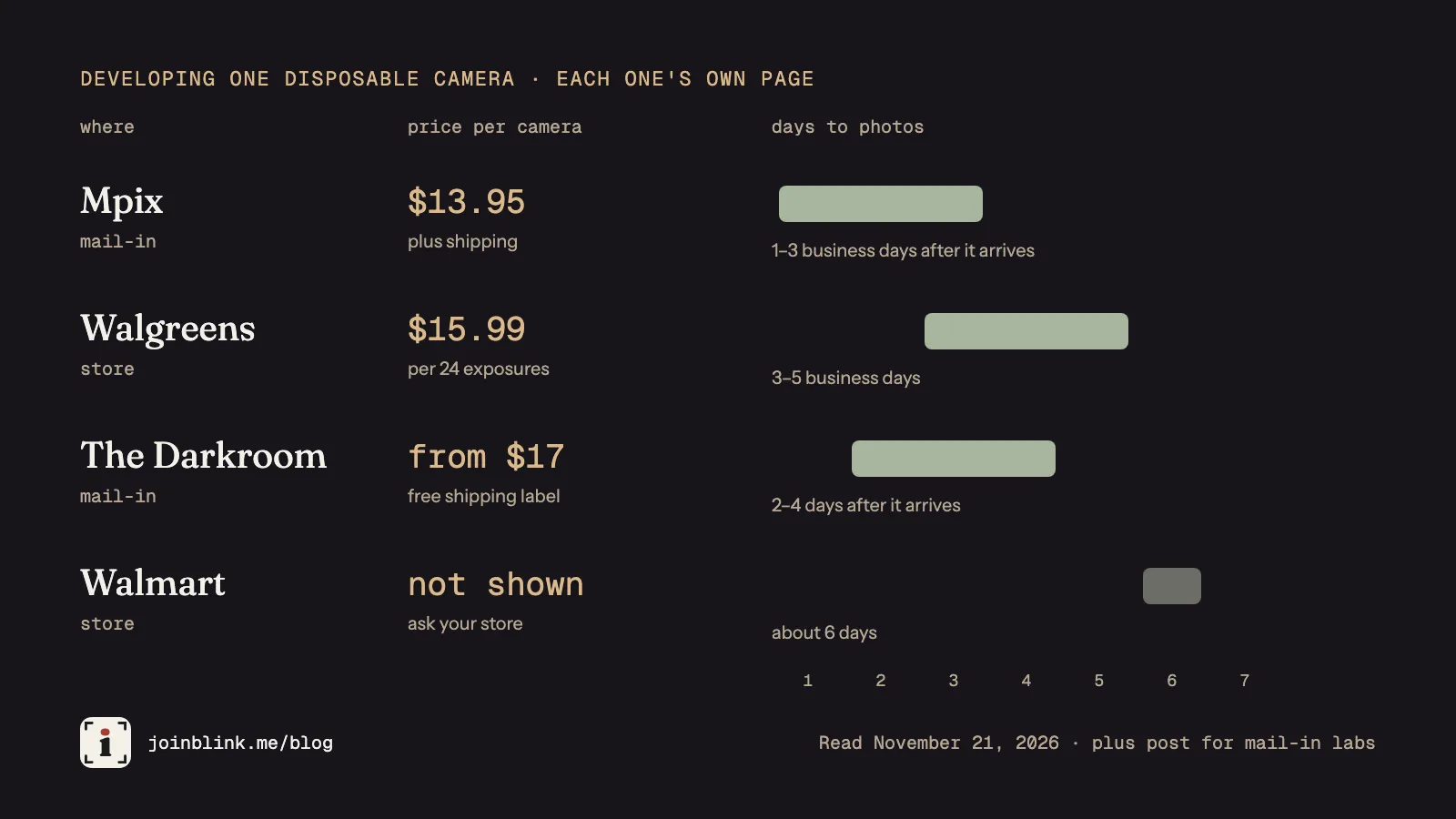
Take it to a store photo counter, such as Walgreens or Walmart, or mail it to a film lab, such as Mpix or The Darkroom. On their own pages, developing with digital copies costs $13.95 to $17 a camera and takes about 1 to 6 days once they have it, plus any post. Don't open the camera yourself.
Every price and time below comes from the store's or lab's own page, re-read on November 22, 2026. Prices change, and store prices can differ by location, so check before you go.
What are your options?
You have two:
- A store photo counter. Walgreens and Walmart both list film processing for 35mm film and single-use cameras on their own sites. You drop the camera off and pick up prints or digital copies days later. Not every store has a photo counter, so call first.
- A mail-in film lab. Mpix and The Darkroom both develop disposable cameras by mail. You order online, post the camera, and get scans in an online gallery, with prints if you add them.
A local film lab, if your town has one, works like the mail-in labs without the post.
 Illustration
How much does it cost?
| Where | Price on its own page | What you get | Negatives back? |
|---|---|---|---|
| Mpix (mail-in) | $13.95 per disposable camera, standard scans; its FAQ says shipping is not included | Developing and scans in your Mpix account; prints sold separately | Your choice: returned by mail or discarded |
| Walgreens (store) | $15.99 per 24 exposures, 35mm film | A free photo CD of digital images | No: "Orders will not include negatives" |
| The Darkroom (mail-in) | From $17 for disposable cameras | Scans in a private web gallery, in three resolutions; prints optional | Yes, always |
| Walmart (store) | Not shown on its page; ask your store | 4x6 prints; the page mentions a CD of digital images, and its FAQ a small extra charge for a USB or CD | Not stated |
Scroll the table sideways for more columns.
Two things to watch:
- Count the exposures. Walgreens prices per 24 exposures. Many disposable cameras hold more: Fujifilm's QuickSnap Flash 400, for one, has 27.
- Add the post. Mpix says its prices don't include shipping. The Darkroom offers a prepaid shipping label free at checkout, or a free mailer.
How long does it take?
| Where | Time, on its own page |
|---|---|
| Mpix | Images online 1 to 3 business days after the lab receives your film, plus the post |
| The Darkroom | Developed, scanned and uploaded in 2 to 4 days after it arrives; it says mail reaches it in 2 to 5 days from most of the US |
| Walgreens | Ready for pick-up in 3 to 5 business days |
| Walmart | Most orders ready in about six days |
So from the day you post or drop off a camera, plan on roughly a week, sometimes a little more.
How to get a disposable camera developed, step by step
- Finish the roll. Wind the camera until the counter says there are no shots left.
- Leave it closed. Fujifilm warns that the flash in its QuickSnap runs on very high voltage: do not remove the casing, take the body apart or touch the circuit board inside. Let the lab open it.
- Pick a store or a lab from the tables above, and decide if you want prints, digital copies or both.
- Drop it off or post it. At a store, hand it to the photo counter. For a mail-in lab, order online first, then use the lab's shipping label or mailer.
- Wait for the email. Labs upload scans to an online gallery; stores tell you when to pick up.
- Save the files. Download the scans to your phone or computer as soon as they arrive.
Black-and-white and old cameras
- Black-and-white film: The Darkroom develops true black-and-white film. Mpix says it cannot process true black-and-white film (such as T-Max or Ilford). Check the label on your camera before you choose.
- Old or expired cameras: Mpix says it can develop old or expired film but can't guarantee the result, and that how the film was stored plays a part. Expect some faded or blank frames.
- Developing at home: Colour disposable cameras use colour negative film (Fujifilm lists C-41 processing for the QuickSnap). That means darkroom chemistry and opening the camera in the dark, around a high-voltage flash. For one or two cameras, a lab is the simpler choice.
What a box of wedding cameras costs
Paper cameras on wedding tables are a lovely tradition. Here is the plain maths for ten of them, so you can plan:
| Ten cameras | |
|---|---|
| Developing at Mpix | 10 × $13.95 = $139.50, plus shipping |
| Developing at Walgreens | 10 × $15.99 = $159.90 (per 24 exposures each) |
| Developing at The Darkroom | from 10 × $17 = $170 |
| Frames you can get back | up to 270, if every camera is a 27-exposure roll and every frame comes out |
Then add the cameras themselves: The Darkroom, for example, sells its own single-use camera for $15.99 on the same page.
The photos come back about a week after you send the cameras, and the guests who took them see them only if you share the scans.
Next time: a shared camera on guests' phones
A disposable camera app keeps what people love about the paper ones, a set number of shots and a wait before you see them, without the developing. Blink works that way:
- You print one table card with a QR code. Guests scan it, and the camera opens in their phone's browser, or in the Blink: Disposable Event Camera app on Android.
- Each guest takes a set number of shots on one shared roll.
- Everyone sees the roll together at the reveal you pick: when the event ends, the next morning, or a time you choose.
- Your first event is free for up to 25 guests, 25 photos each. Bigger events are one price for that event, and guests never pay.
Paper cameras still win on the feel of the object, and you can use both. For the paper-or-app question in more detail, see our wedding disposable camera guide.
Skip the developing next time
With Blink, guests take photos on one shared roll on their own phones, and everyone sees them together at the reveal you pick, the next morning if you like. Your first event is free for up to 25 guests.
How we checked
The ideas and advice here are ours; the facts come from the pages listed below, each read on the date shown. Facts about Blink come from our own pricing page and product, and nothing here rests on a survey, a test or a customer story.
Questions
Can a drugstore develop a disposable camera?
Walgreens lists film processing on its own site at $15.99 per 24 exposures of 35mm film, ready in 3 to 5 business days. Walmart lists 35mm film and single-use cameras. Not every store has a photo counter, so call yours first.
How much does it cost to develop a disposable camera?
On the pages we read on November 22, 2026: $13.95 at Mpix before shipping, $15.99 per 24 exposures at Walgreens, and from $17 at The Darkroom. Walmart doesn't show a price online.
How long does developing take?
From 1 to 3 business days after Mpix receives the camera, 2 to 4 days at The Darkroom plus the post, 3 to 5 business days at Walgreens, and about six days at Walmart, by their own pages.
Do I get the negatives back?
It depends where you go. The Darkroom always returns them, Mpix lets you choose, and Walgreens says its orders do not include negatives.
Can I open the camera and take the film out myself?
It's better not to. Fujifilm warns that the flash in its QuickSnap works on very high voltage and says not to remove the casing or take the body apart. Let the lab open it.
Can an old disposable camera still be developed?
Usually, but results vary. Mpix says it can develop old or expired film but can't guarantee how it turns out.
Sources
- Walgreens Photo: Film Processing Checked .
- Walmart Photo: Film processing Checked .
- Mpix: Film Developing Checked .
- The Darkroom: Disposable Camera Developing Checked .
- The Darkroom: Film Developing Checked .
- Fujifilm: FUJICOLOR QuickSnap Flash 400 product information bulletin (US, 2026-07 file) Checked .
- Blink pricing page Checked .
This post was researched and checked against the sources above, each on the date shown.
Planning an event?
Your first event is free for up to 25 guests.
Create your event